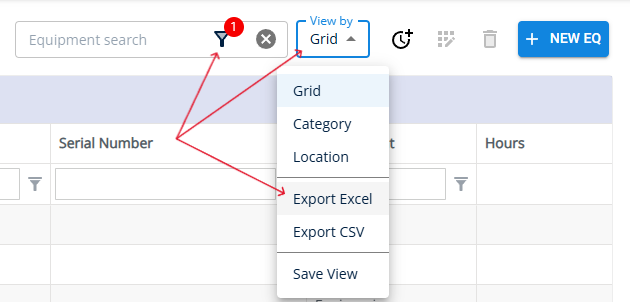
The Export to Excel feature lets you download the data you're viewing in an excel spreadsheet format. This is useful if you want to share it with others or want to analyze the data outside of the YMS application. With just a couple of clicks, you can generate an Excel file that reflects any filters or search results you've applied.
In this example, we used the True/False Search to filter the data in the Equipment module to show only Critical Equipment. Once the results were filtered, we clicked the "View by" dropdown in the top right corner and selected Export to Excel. This downloaded a spreadsheet containing only the filtered list of critical equipment.